How My New Site Ranked First on Google
There's no single secret. There are things you do right from the start: the stack, the hosting, the files, and the words.
On this page
How my new site ranked first on Google
I built my new site.
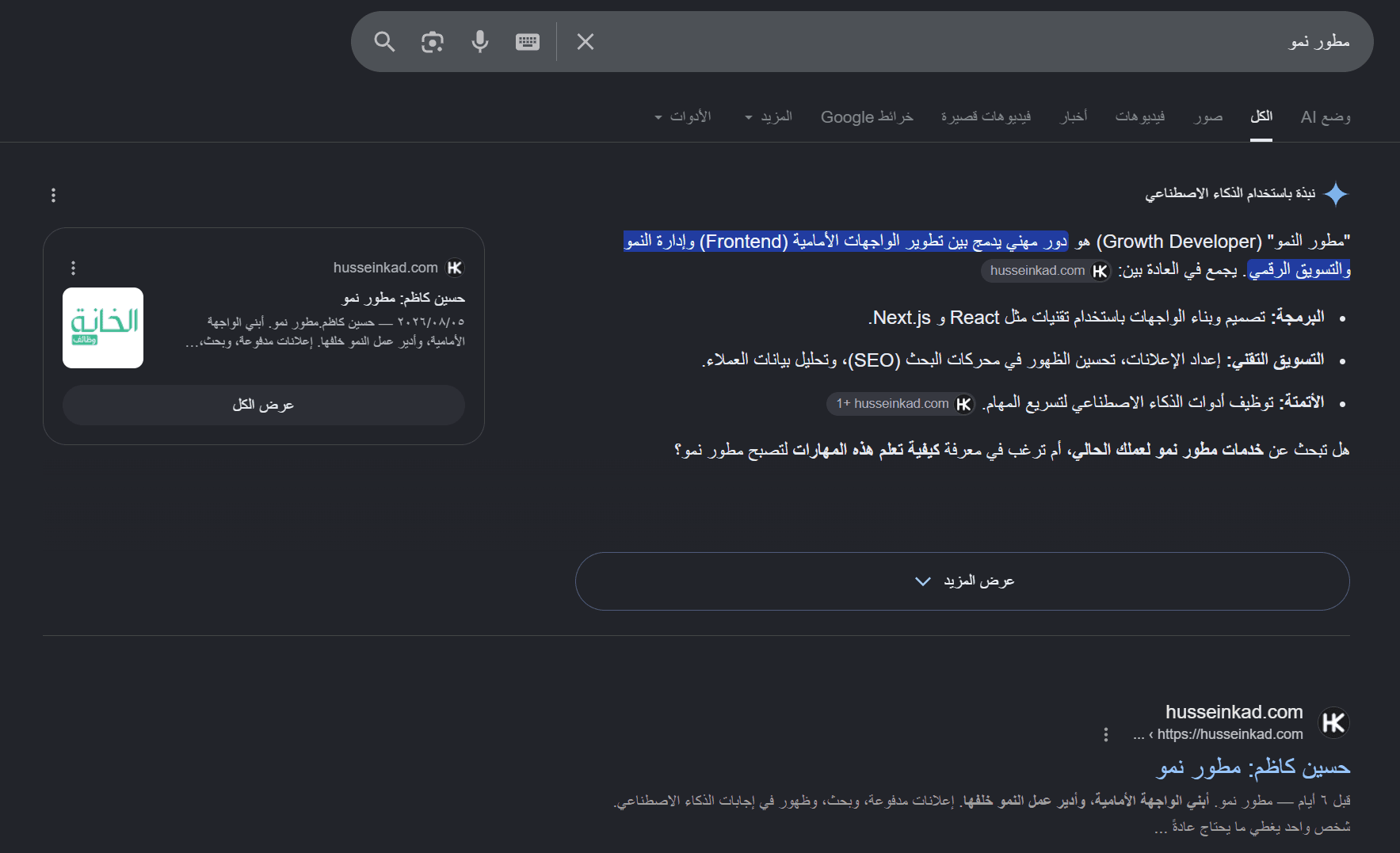
Search the term I use as my title, and my site comes up first.
Google's AI summary even takes its definition from my site and talks about it.
Here is exactly how that happened.
First: why it matters
- Most people never reach page two.
- The first result takes most of the clicks. The rest split what's left.
- You don't pay per click like ads. You do the work once, and it keeps returning.
That's the difference between a site that works for you and one that just sits there.
And it isn't a one-off
The last company I worked with already had a site.
It never appeared on Google. Not once.
I built them a new one. In under a month it was competing and showing in top results.
Against competitors older and bigger than them.
1. The stack: why Next.js, not React alone
React on its own builds the page on the visitor's device.
So Google's crawler arrives, finds an empty shell, and the content hasn't loaded yet.
Next.js does SSR, server side rendering: the page is assembled on the server and arrives complete.
The crawler finds real text from the first second.
That alone separates a site that ranks from one that gets skipped.
2. Hosting: a server, not static files
Plenty of people put their site on hosting that only stores files.
That can't do SSR, because there's no server running to build the page.
Use Vercel or Railway.
They run code on the server, so the page is ready before the visitor or the crawler reaches it.
3. The files your site needs
Files no visitor ever sees, but search engines look for first.
robots.txt
Tells the crawler what it may enter and what to skip.
Get it wrong and you can block Google from your entire site without knowing.
sitemap.xml
A map of every page on your site and when each was last updated.
Without it the crawler has to find your pages by itself. That takes time, and sometimes it doesn't.
JSON-LD
The most important one, and most sites don't have it.
Hidden code that tells the crawler what kind of page this is, in a language it understands:
Personon your about pageArticleon every blog postBreadcrumbListso it understands how your pages nestFAQPageif you have questions and answersLocalBusinessif you have a shop or office in a city
Without JSON-LD the crawler guesses your page type. When it guesses, it gets it wrong.
4. The hidden parts of every page
Written in the code, invisible to the visitor, and they're what appears in search results:
title— the headline Google shows. Make it clear and put the words people search in it.meta description— the two lines underneath. They decide whether anyone clicks.canonical— tells Google which page is the original, so you aren't counted as duplicate content.Open Graph— the image and title that appear when the link is shared on WhatsApp or Facebook.alton images — the crawler can't see the picture, it reads the description.- One
H1per page — a single main heading, not ten.
5. The right words in your blog
Customers type questions in their own words, not in jargon.
Before writing anything, ask: what sentence will they actually type into Google?
Then put that sentence where it counts:
- in the article title
- in the first paragraph, not buried halfway down
- in one of the subheadings
- in the page URL itself
Don't repeat it ten times. Google recognises stuffing and penalises it.
One page that answers one question completely beats ten pages circling it.
6. Speed
A site that takes 10 seconds loses the visitor before they see anything.
Google sees that too, and counts it against you.
Compress your images, don't load libraries you never use, and send the page ready from the server.
Have a site?
Let me audit it.
I'll tell you exactly what it's missing and what's keeping it from showing up.
Don't have a site?
I'll build you one from scratch, done right from day one.
Not a site that sits there. A site that ranks and brings you people.
Part two
The next article is about AI.
How it picks which sites to cite in its answers, and which files and signals put yours among them.
It's a new field, and few people are working in it yet. Whoever moves first, wins.